Alina Schneider
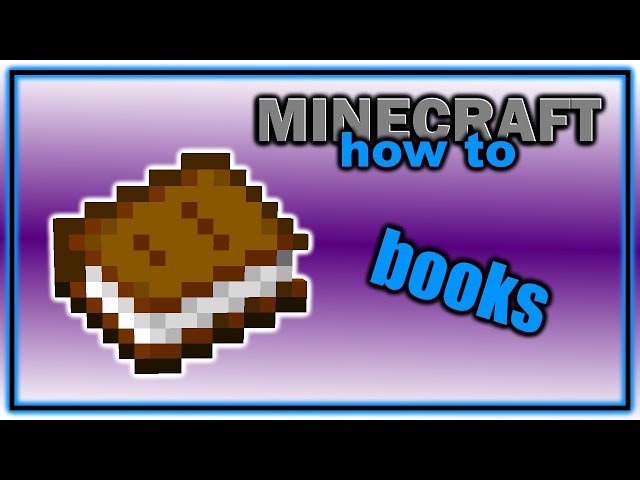
Crafting a book in Minecraft is a fundamental skill that allows players to document their adventures, create custom stories, and share knowledge with others. Whether you’re a seasoned player or just starting out, knowing how to craft a book in Minecraft is essential for enhancing your gameplay experience.
To craft a book in Minecraft, you will need three pieces of paper and one piece of leather. Paper is made from sugar cane, which can be found near bodies of water. Leather is obtained by killing cows or looting chests.
Crafting a Book in Minecraft
Follow these steps to craft a book in Minecraft:
- Open the crafting table interface.
- Place three pieces of paper in the top row of the crafting grid.
- Place one piece of leather in the center of the second row of the crafting grid.
- Drag the crafted book from the crafting grid into your inventory.
Tips for Crafting Books in Minecraft
Here are some tips to help you craft books in Minecraft more efficiently:
Tip 1: Use a sugar cane farm to produce paper quickly and easily.
Tip 2: Keep an eye out for cows and kill them to obtain leather.
Tip 3: Place bookshelves around your enchanting table to increase the level of enchantments you can apply to your items.
Tip 4: Write in books to create custom stories, maps, or guides.
Tip 5: Use books as fuel for furnaces, but be aware that they will only burn for a short time.
Frequently Asked Questions About Crafting Books in Minecraft
Here are some frequently asked questions about crafting books in Minecraft:
Q: How do I write in a book in Minecraft?
A: To write in a book, hold the book in your hand and press the “Use Item” button (usually the right mouse button). This will open the book’s GUI, where you can type your text.
Q: How do I add pages to a book in Minecraft?
A: You cannot add pages to a book in Minecraft. However, you can create a new book and copy the contents of the old book into it.
Q: How do I make a book and quill in Minecraft?
A: To make a book and quill, combine a book and a feather in a crafting grid.
Q: How do I rename a book in Minecraft?
A: To rename a book, place the book in an anvil and type the new name in the “Name” field.
Q: How do I get a book with a custom cover in Minecraft?
A: Unfortunately, it is not possible to create books with custom covers in Minecraft.
Crafting a book in Minecraft is a simple but rewarding task that can greatly enhance your gameplay experience. By following the steps outlined above, you can easily create books to document your adventures, share knowledge with others, and even create custom stories. So next time you need to jot down some notes or share your latest discovery, don’t forget to craft a book in Minecraft!
Youtube Video: